Overview
ASAP11 is a no-code workflow automation and chat-driven CRM platform. Users describe the kind of conversation or process they need in plain English, and the built-in AI copilot generates the entire workflow - no canvas dragging or node wiring required. The system then executes these flows in real-time, functioning as an automated customer support engine that can seamlessly transition to manual human intervention.
It bridges two surfaces: an AI-assisted admin workspace where logic and client data are managed, and a user chat interface where interactions are recorded and processed into actionable CRM records. The entire system was designed and built from scratch within hackathon hours.
System Architecture
The platform is structured across three loosely coupled layers:
- Admin Dashboard - A React-based canvas editor (
@xyflow/react) where admins drag, drop, and connect workflow nodes. Saving a workflow serializes the node graph into a JSON definition sent to the backend. - FastAPI Backend - The execution core. Routes handle CRUD for workflows, chat messages, and run tracking. The workflow engine runs as an async state machine.
- User Chat Interface - A polling-based React frontend. Users see a standard chat; the system quietly checks for queued messages every 1.5 seconds and renders whatever the engine has pushed.
Workflow Canvas
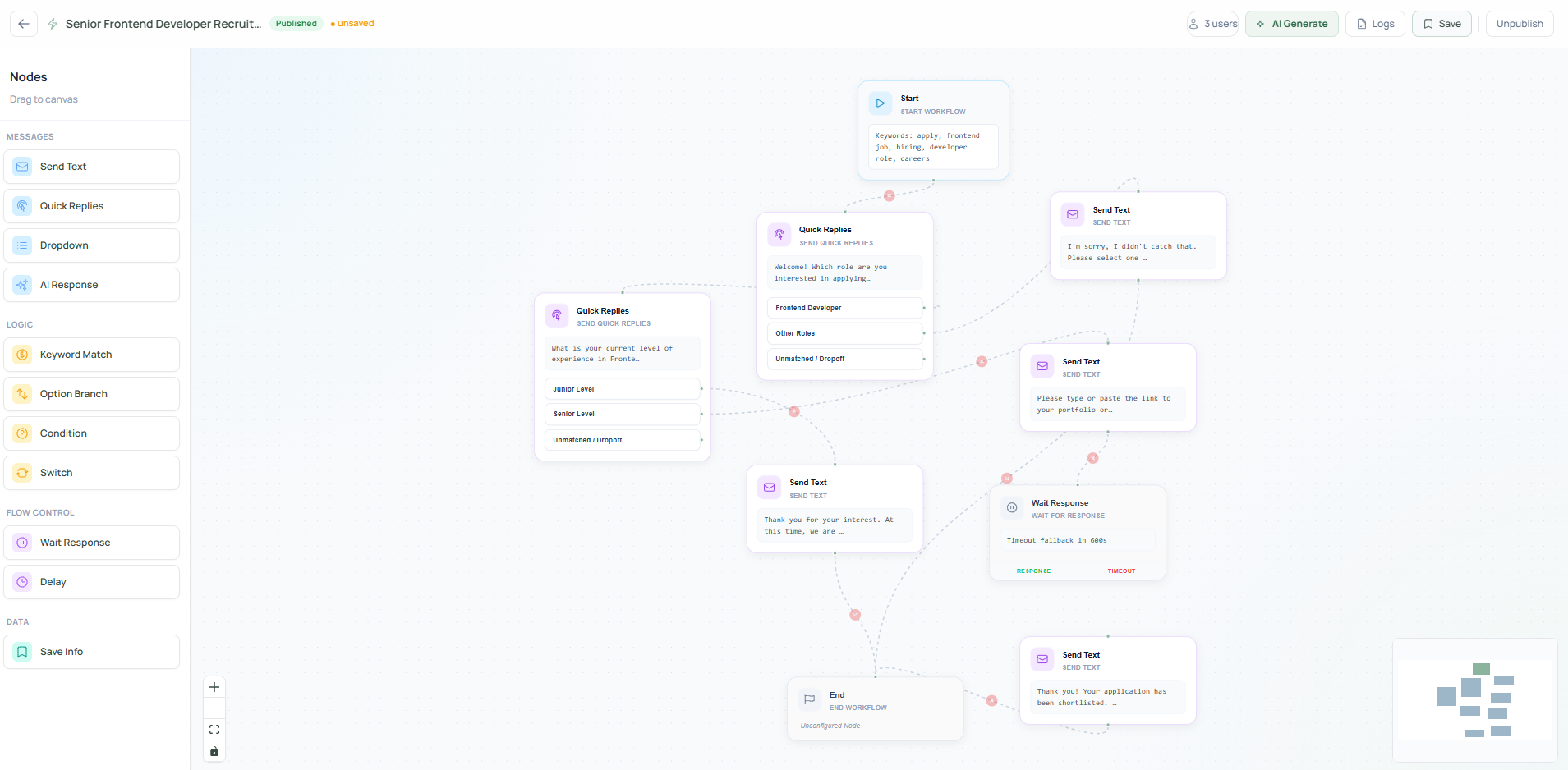
Admins build workflows by connecting typed node blocks:
- Trigger nodes -
trigger_user_message,trigger_manual- define entry points - Message nodes -
send_text,send_quick_replies,send_dropdown- push content to users - Logic nodes -
condition,keyword_match,switch_branch- branch the conversation - Flow control -
wait_for_response,delay,end_workflow- manage pacing and termination
When saved, the canvas graph is serialized into a flat JSON definition (nodes[], edges[]) and stored via PUT /api/workflows/{id}.
AI Workflow Copilot
The standout feature of ASAP11 is that non-technical users never have to touch the canvas at all.
Instead, a user types a plain-language description of what they need:
"Ask the user their name, then ask what department they're from, then show them three options for the type of issue they're facing, and route them accordingly."
The AI copilot reads the intent, maps it to the correct node types, wires the graph logic, and returns a fully built, ready-to-run workflow - automatically placed on the canvas and ready for execution with a single click.
Under the hood, the copilot (workflow_copilot_service.py) sends the user's description to a Gemini-backed generation service. The model outputs a structured workflow definition matching the system's internal node schema (nodes[], edges[]). This gets validated by workflow_validator.py before being committed - ensuring the AI can't produce a broken graph even if the prompt is vague or incomplete.
This makes ASAP11 accessible to anyone. A non-technical support team lead can set up a complete customer intake flow in under a minute, with no training needed.
Execution Engine
The backend's WorkflowEngine is an async state machine that traverses the graph node by node. Each node type maps to a Python coroutine via a NODE_EXECUTORS dictionary. Context variables (e.g. {{user_message}}) are interpolated at runtime from the current run's context dict.
Wait states are the key design pattern. When a node requires user input (e.g. send_quick_replies), the engine:
- Pushes the message to the user's queue
- Persists a
wait_stateobject (run_id,node_id,timeout_at) to TinyDB - Terminates the coroutine cleanly
On the user's next message, the engine fetches the pending wait state, injects the response into context, and calls resume_run() - resuming from exactly the suspended node. Timeouts are handled by a background asyncio task running every 5 seconds.
Chat Interface
The user frontend polls GET /api/chat/push/poll at 1.5-second intervals. The backend maintains an in-memory push store (push_store.py) so polling clients drain a RAM buffer - not the disk - keeping chat snappy under load.
Quick replies and dropdowns render as interactive buttons. Once a selection is made, the frontend locks the option via a PATCH request, preventing duplicate submissions.
Hybrid Chat: Automation & Manual Oversight
A key strength of ASAP11 is its "human-in-the-loop" capability. While the system primarily runs automated workflows, administrators can monitor live conversations and take over at any moment.
- Automated Interaction: The workflow engine handles initial triage, data collection, and FAQ handling based on the designed graph.
- Manual Override: Admins can inject messages directly into any active user's session via
POST /api/admin/send. This immediately halts the automated engine for that session, allowing for direct human-to-human problem solving. - Seamless Handover: The system identifies when a user's input doesn't match any workflow branch (
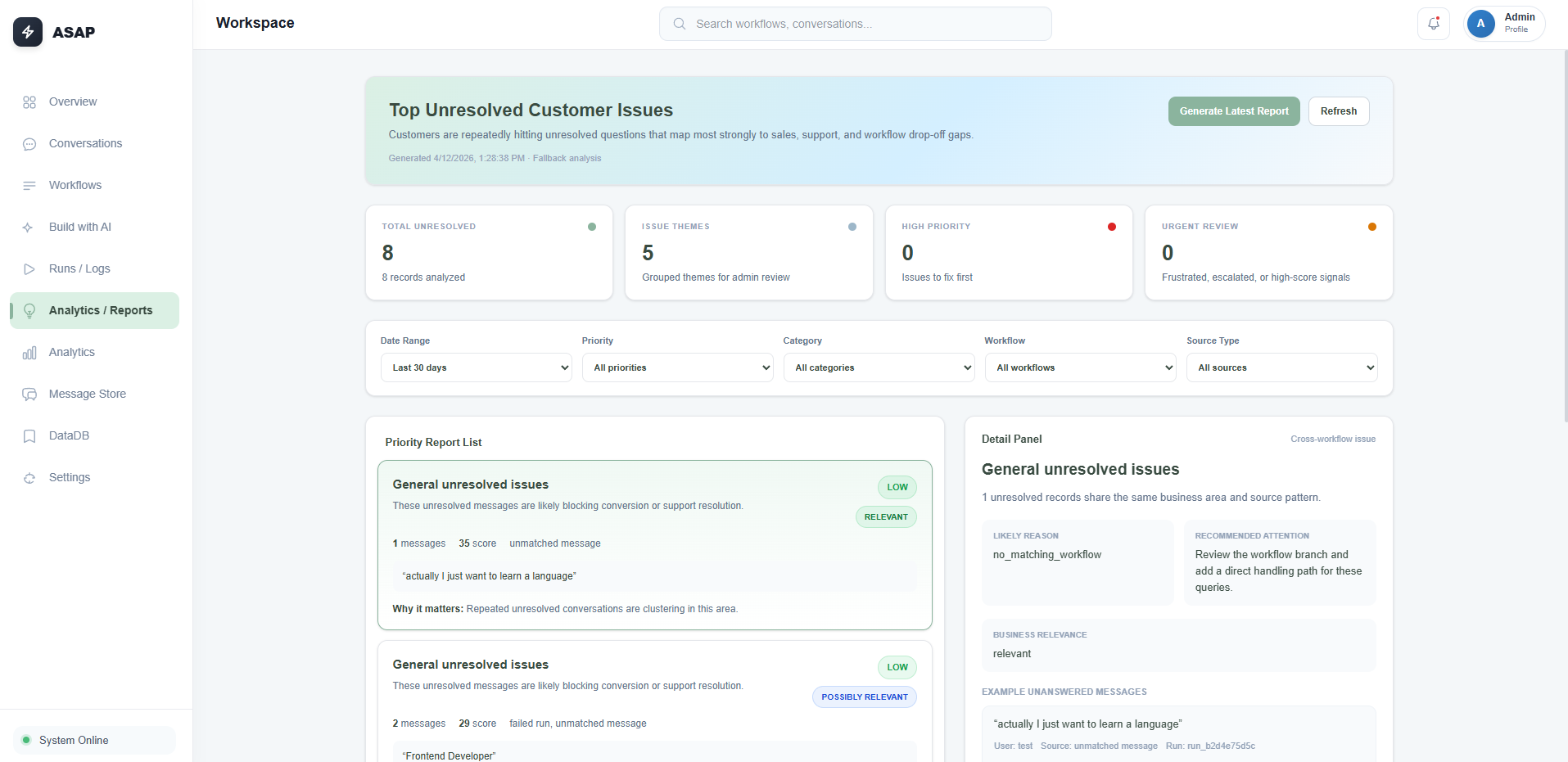
unmatched_messages) and flags it for admin attention, ensuring no user request is ignored.
Chat-Driven CRM & Operations
Beyond simple messaging, ASAP11 functions as a lightweight CRM by mapping conversational data to structured user profiles.
- User Profile Management: Every participant is tracked as a unique identity. Conversational data (like name, department, or issue type) extracted by the workflow is persisted to the user's record.
- Actionable Logs: The system records every node execution, including success/failure metrics and transition durations. This provides a clear audit trail of the "customer journey" within the automated flow.
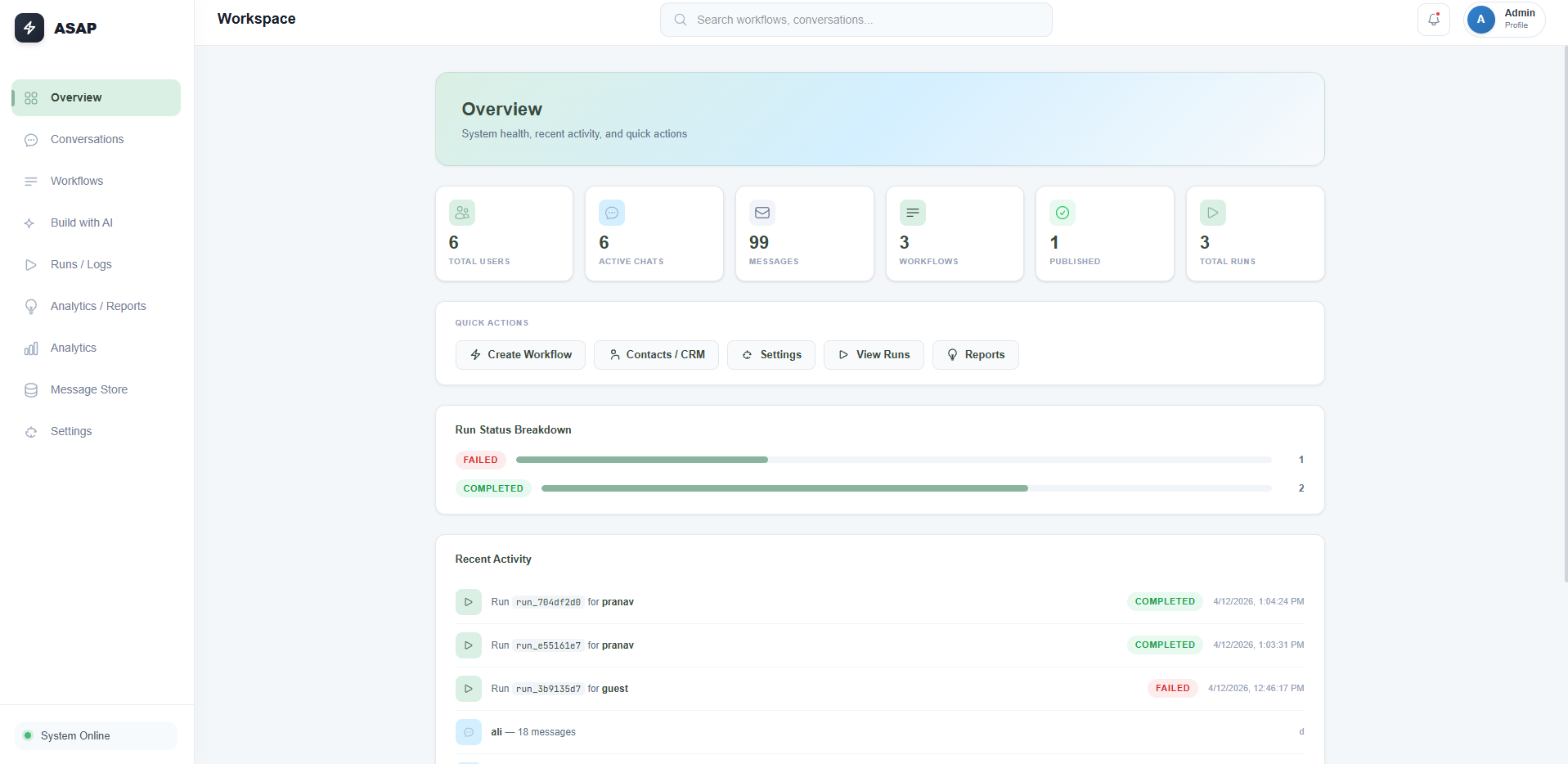
- Real-time Dashboards: The Admin Frontend aggregates these interactions into a central dashboard, allowing operators to monitor system performance, active users, and recent conversational outcomes at a glance.
Data Layer
Two TinyDB flat-file JSON stores handle all persistence:
db.json- users, conversation history, admin presets, unmatched messagesworkflow_db.json- workflow definitions, run state, execution logs, wait states
TinyDB was chosen deliberately over a full database: zero setup, instant persistence, and within hackathon scope. The tradeoff is single-writer constraints under concurrency - acceptable for a prototype, not for production.
Outcome
The system shipped as a complete, working prototype. An admin can author a multi-step workflow on the canvas and have it execute live across multiple simultaneous user sessions within minutes. The wait state mechanism handles real human response delays cleanly without blocking or polling loops on the server side.
Known limitations acknowledged: no auth (string-based identity only), plain JSON storage (not encrypted), CORS open for development. These were intentional hackathon tradeoffs - every hour spent on infrastructure was an hour taken from the core problem.
Lessons Learned
- Serializing a visual graph into an executable async state machine is one of those ideas that sounds complex but produces remarkably clean architecture when implemented right.
- Wait states are more elegant than threading for human-paced interactions. Designing around delay instead of waiting through it keeps the system lightweight.
- Hackathon discipline is scope discipline. The decisions about what not to build mattered as much as what was built.